Glasser: A Modern Sans Serif Font for Crafters & Product Designers
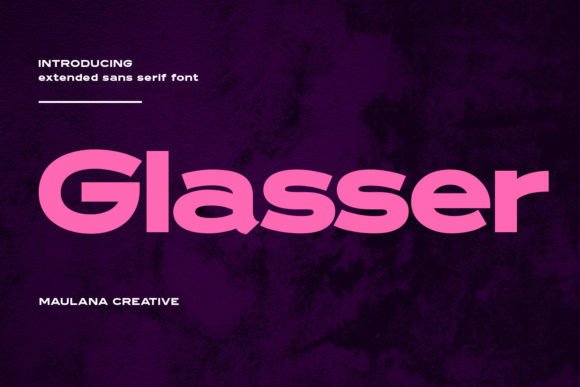
Glasser is a modern wide sans serif display font that brings bold strokes and a playful personality to your creative projects. Whether you're designing stickers, invitations, or product packaging, this font adds a touch of contemporary charm with just the right amount of flair. Its clean structure and fun character make it a versatile choice for crafters and small business owners who want their designs to stand out while remaining readable and professional.
One of the standout features of Glasser is its use of ligatures and alternates. These subtle design elements add visual interest without overwhelming the viewer. For crafters who use Cricut or Silhouette machines, this font works beautifully on small stickers, tags, and labels where clarity and style are equally important. The wide letterforms hold up well in both print and digital formats, making Glasser a reliable option for SVG designs, digital downloads, and printable templates.
Perfect for Handmade Product Labels & Tags
When you're selling handmade goods, presentation matters. Glasser's bold, open design makes it ideal for product labels and tags—especially for boutique-style packaging. Whether you're labeling candles, soaps, or boutique clothing tags, this font gives your brand a modern, cohesive look. Because it's a sans serif font, it reads clearly even at smaller sizes, which is essential for practical use in packaging and labeling.
Try using Glasser for bakery labels, coffee shop tags, or seasonal product lines. Its modern typography pairs well with minimalist or rustic themes, making it a flexible choice for different aesthetics. The font’s strong character ensures your product names or descriptions are easy to read, which helps build trust and recognition with your customers.
Stickers, Invitations & Digital Printables
For sticker designers and printable creators, Glasser offers a balance between fun and function. Use it for birthday invitations, wedding welcome signs, or planner stickers where a touch of personality is needed without sacrificing legibility. The font's wide structure makes it especially effective for short phrases, names, and titles—perfect for greeting cards, wall art, or seasonal decor.
Wedding stationery designers can benefit from Glasser's clean lines and modern appeal. It works well for ceremony programs, place cards, or digital thank-you notes. If you're creating digital printables like quote art or motivational posters, this font helps your message feel both stylish and accessible.
Display Use for Signs, Mugs & Merchandise
Because it's a display font, Glasser shines in larger formats. It's ideal for farmhouse signs, boutique windows, or vinyl wall decals. The font’s bold strokes ensure that your message is readable from a distance, while its modern design keeps your look fresh and current.
When designing mugs, tote bags, or t-shirts, Glasser's strong character helps your text stand out. Try it for short phrases or names on custom apparel. It also works well for seasonal merchandise—think Halloween mugs, holiday tote bags, or Valentine's Day cards. The font's versatility allows it to blend with a variety of color schemes and design styles, from rustic to modern minimalist.
Font Pairing Ideas for Visual Harmony
To enhance your designs, consider pairing Glasser with other fonts. For a balanced look, pair it with a clean script font for headings or accents. For example, use Glasser for main titles and a soft handwritten font for subheadings or quotes. This contrast adds depth without cluttering your layout.
If you're designing invitations or wedding stationery, try combining Glasser with a classic serif font for a timeless feel. The contrast between a modern sans serif and a traditional serif creates a sophisticated, layered design. For digital mockups or social media graphics, pairing Glasser with a simple sans serif font keeps your message clear and your visuals cohesive.
What to Know About Ligatures, Alternates & Licensing
Glasser includes ligatures and alternate characters that let you customize your text for a more unique look. These features are especially useful for logos, branding, or any design where a custom feel is desired. Be sure to check if the font package includes multiple styles, such as bold or italic versions, and verify file formats for compatibility with your design software.
When using Glasser for commercial purposes—like selling physical products, digital downloads, or printables—it's important to confirm that the font is licensed for commercial use. Most premium fonts come with clear licensing terms, so you can confidently use them in your business without legal concerns.
Final Tips for Using Glasser in Your Projects
Always preview your text at actual size before printing or cutting. This is especially important for small labels, stickers, or machine-cut designs. Make sure the spacing and letterforms are clear and won’t get lost in the final product. For digital mockups, use Glasser in a way that reflects how it will appear on the finished item—this helps your customers visualize the end result.
Whether you're creating physical products or digital assets, Glasser brings a modern, attractive typeface to your design toolkit. Its combination of bold style and readability makes it a go-to choice for crafters, Etsy sellers, and small business owners who want to elevate their brand identity and product presentation.